Instruction Manual
ac4CDB and ac4CDiseaseDB
1.Click on the "ac4CDB" section in the navigation bar on the homepage to enter the database.

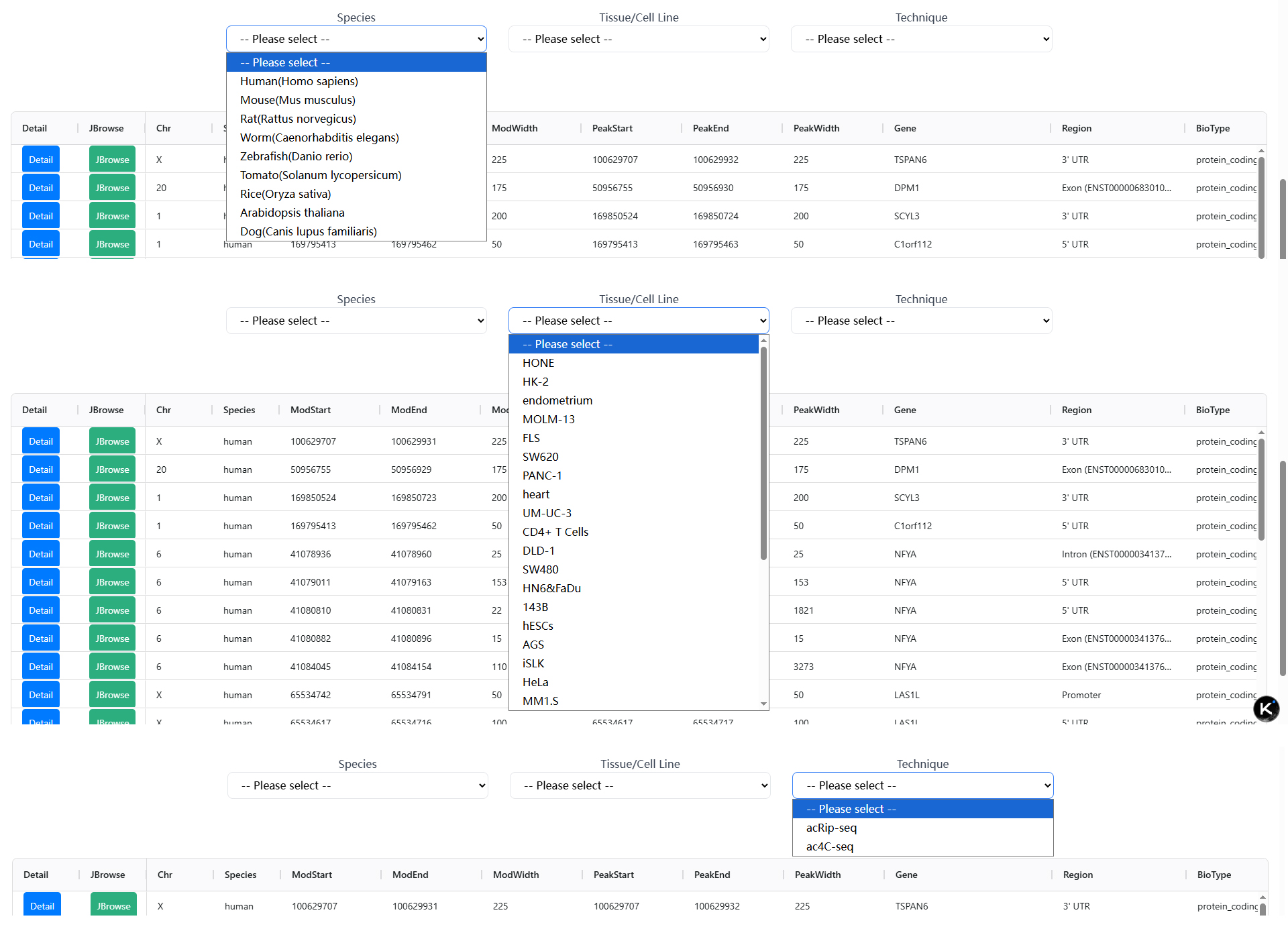
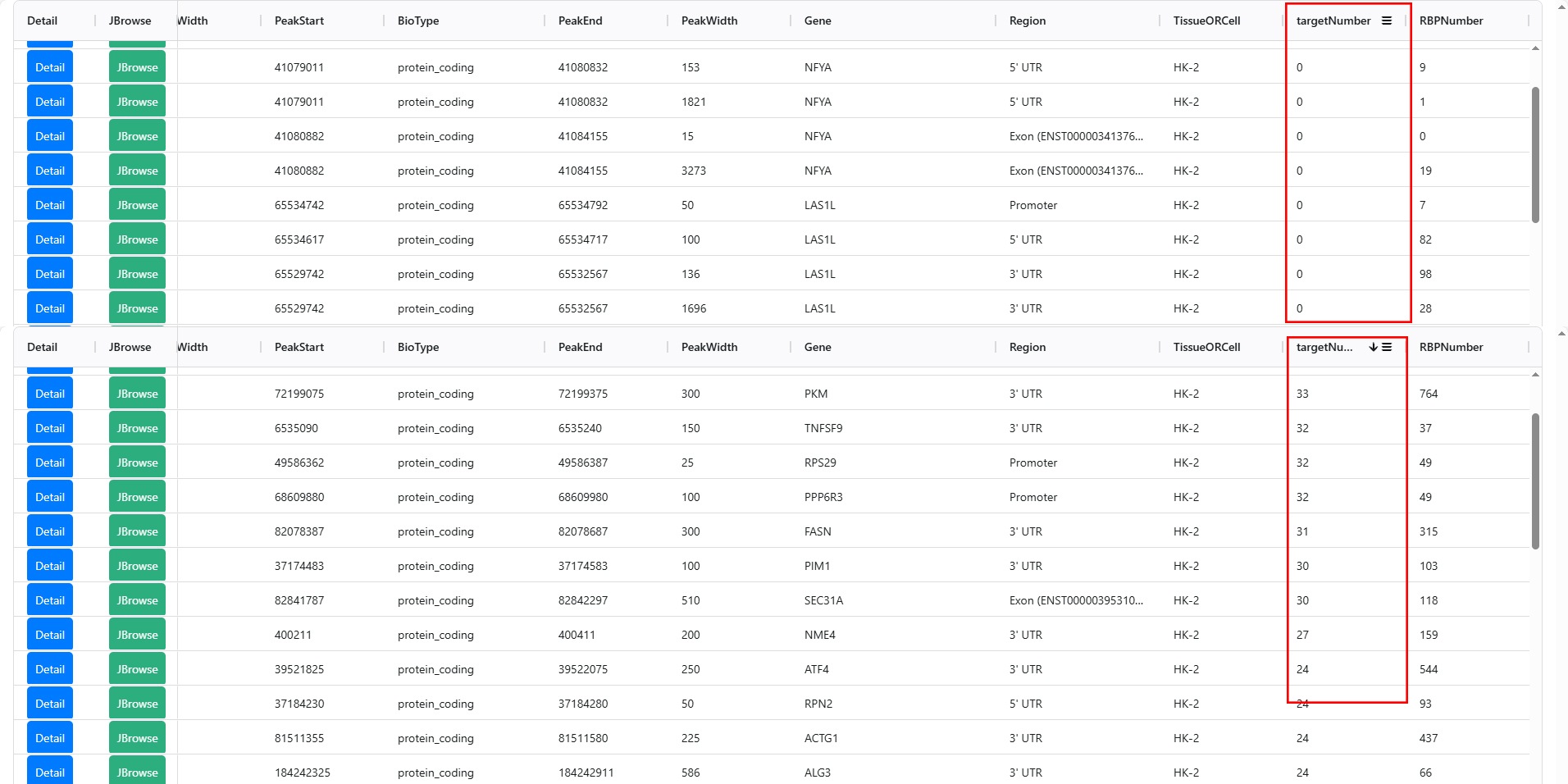
2.After selecting Species, Tissue/Cell Line and Technique based on your interest, the web page will automatically redirect to the corresponding data table.
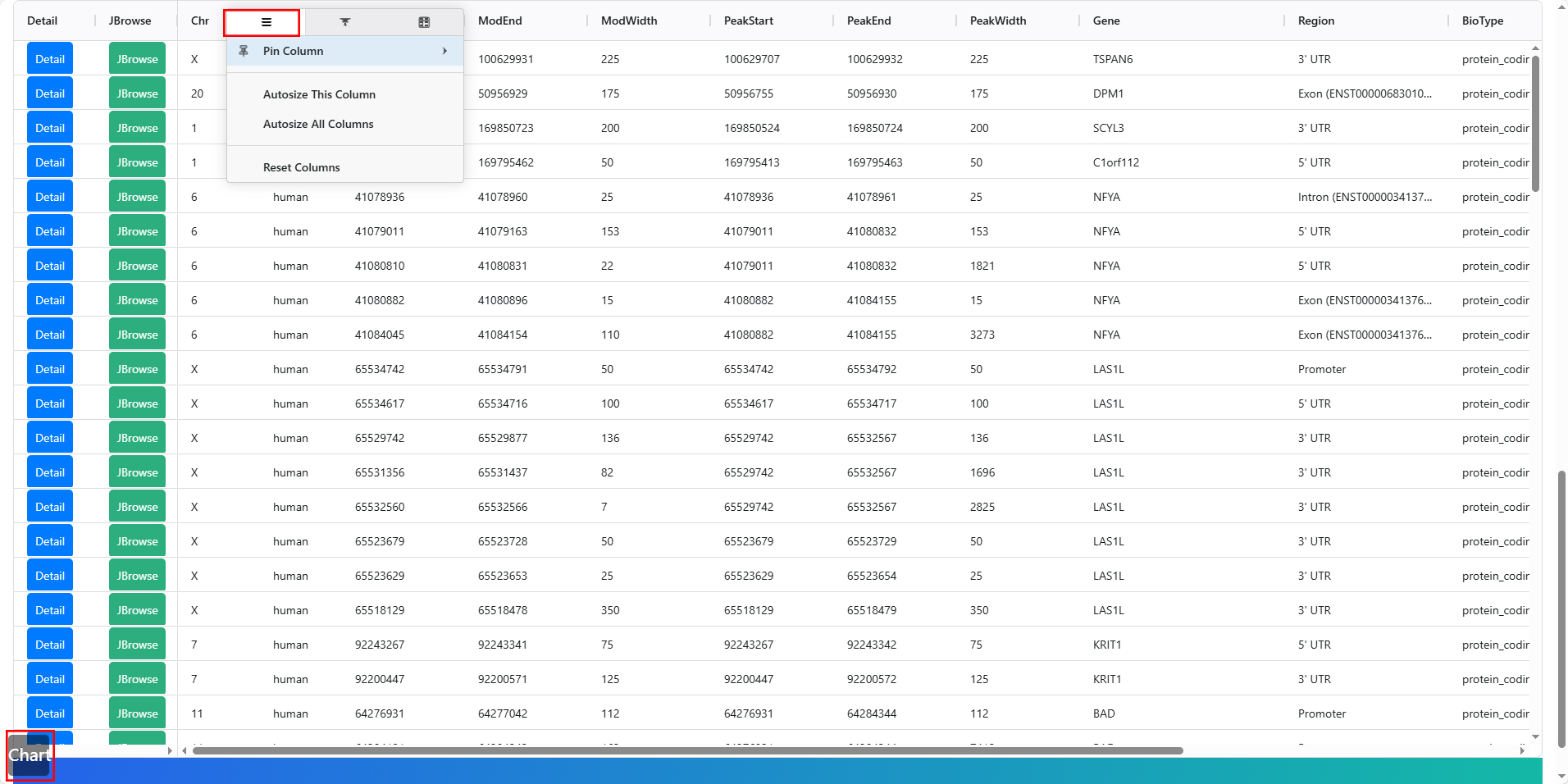
3.Clicking on the word "Chart" on the page will adjust the table to fit the screen. Additionally, when the mouse hovers over the title of each column in the data table, a multi-functional menu bar icon will appear. Clicking on the icon will reveal three options. The leftmost function bar includes the functions of locking columns (left or right) and adjusting column width to fit content.
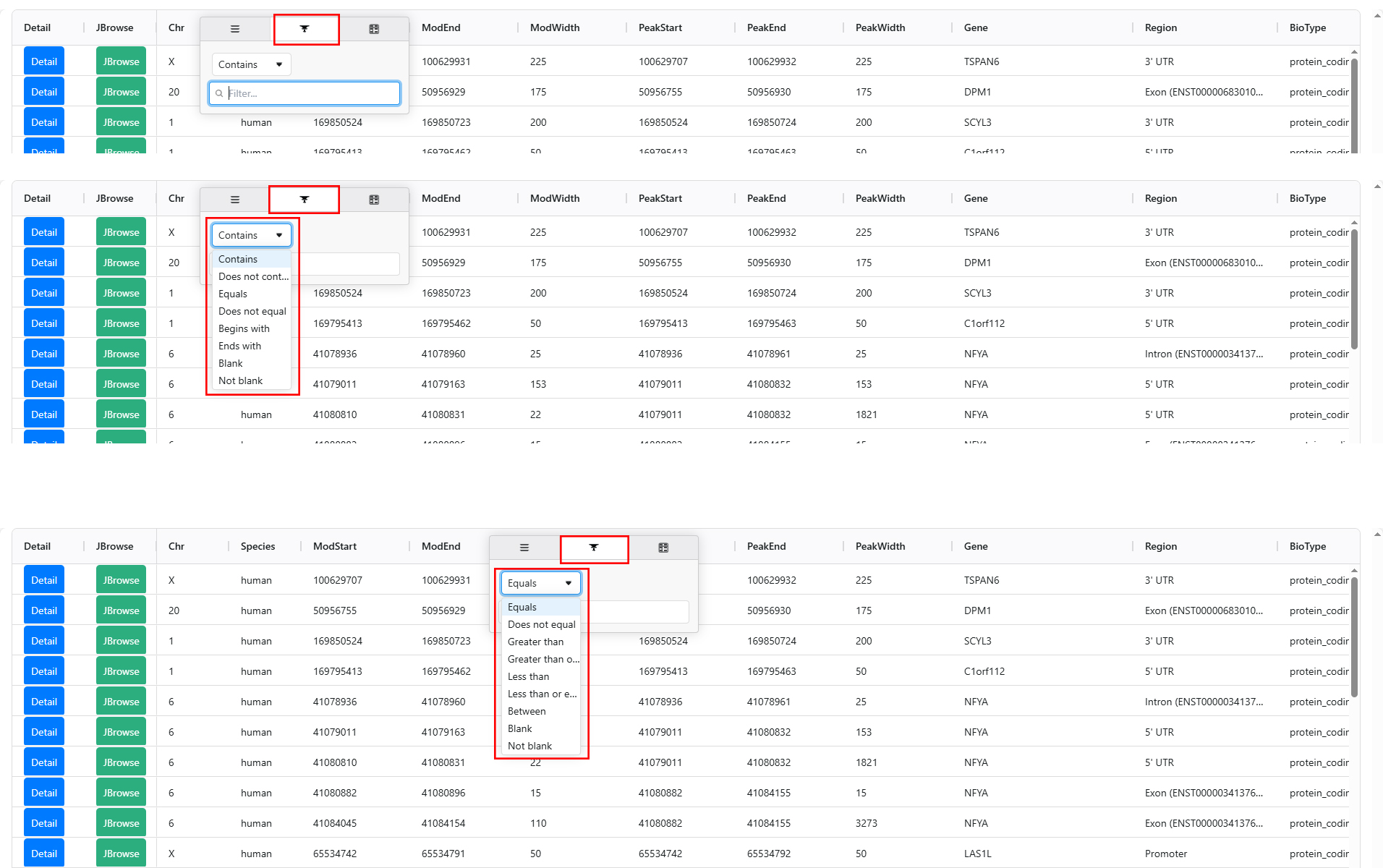
4.The middle function bar has different filtering functions for character columns and numeric columns.
5.For any column, users can click on the column name to sort in ascending or descending order.
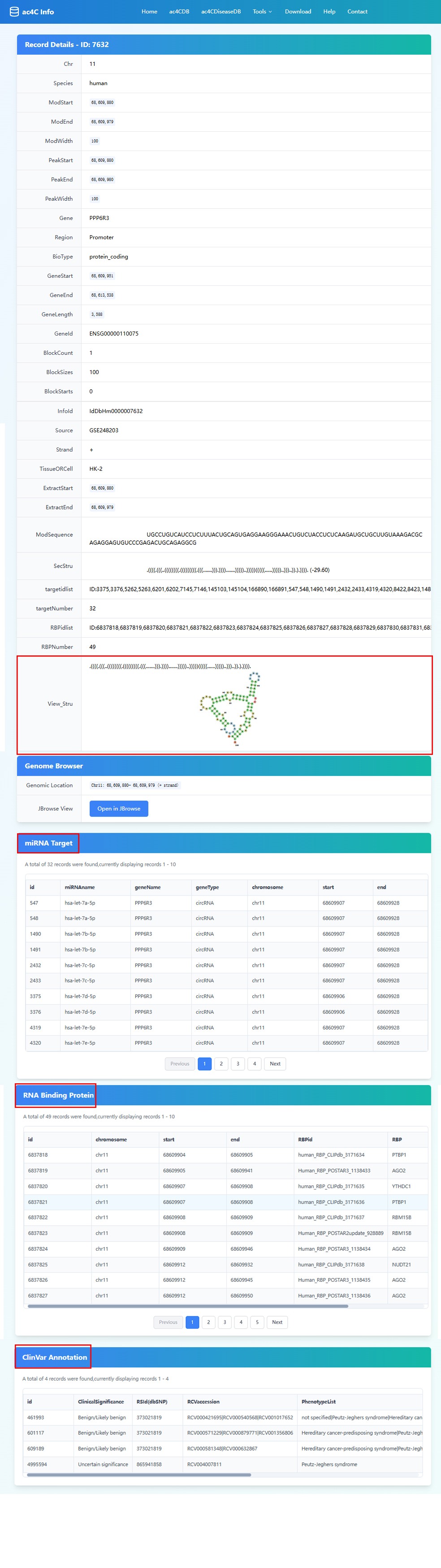
6.After clicking the "Detail" button on the far left of the data table, the page will redirect to the detailed information page of that row. The page includes all the annotation information of the site, as well as a preview of the secondary structure, miRNA Target, RNA Binding Protein, ClinVar Annotation (from ac4CDiseaseDB), and other information.
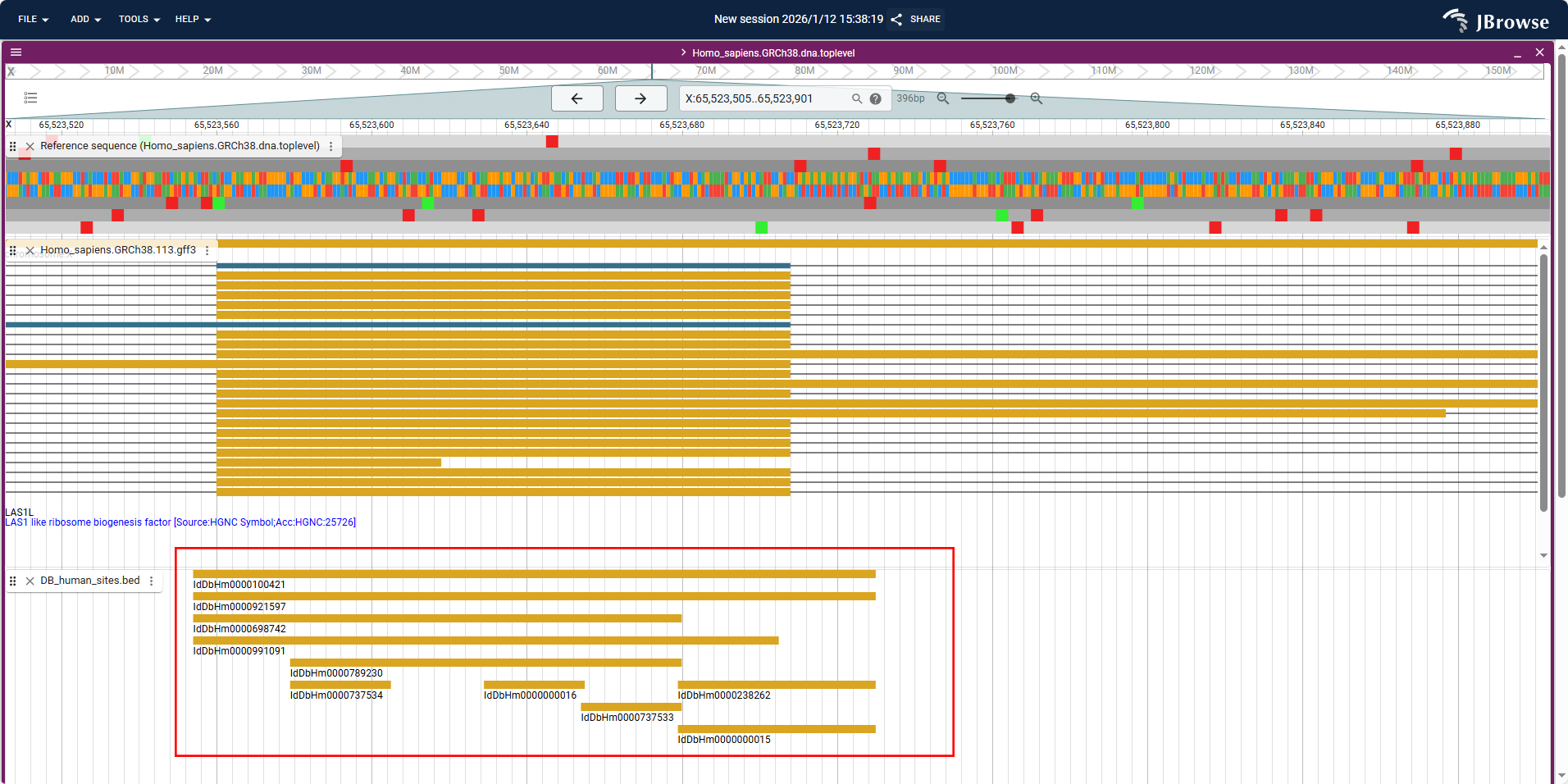
7.Click the JBrowse button to enter the genome browser to view the location information of the site in the genome.
Tools
1.Analysis tools ac4C Predictor and ac4C SNP IFer and auxiliary tool Sequence Cutter are all located in the drop-down menu of this menu bar. Clicking on them will redirect you to the corresponding functions.At the same time, links to some tools developed by the original author are provided for jumping.

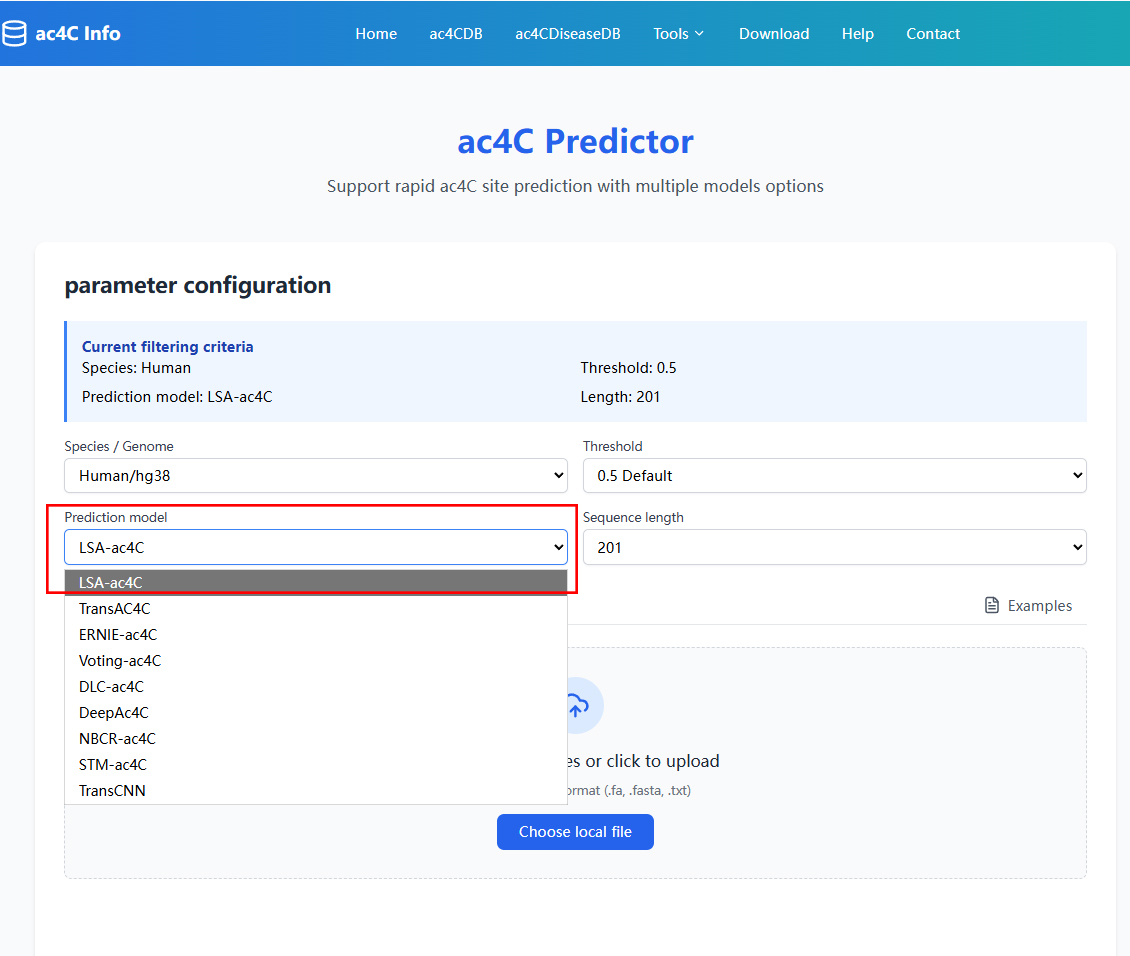
2.In the ac4C Predictor tool, select the appropriate parameters (such as the prediction model), and at the same time, choose to upload or paste the sequence(Standard FASTA format) into the input box below. Click "Submit" to start the calculation.
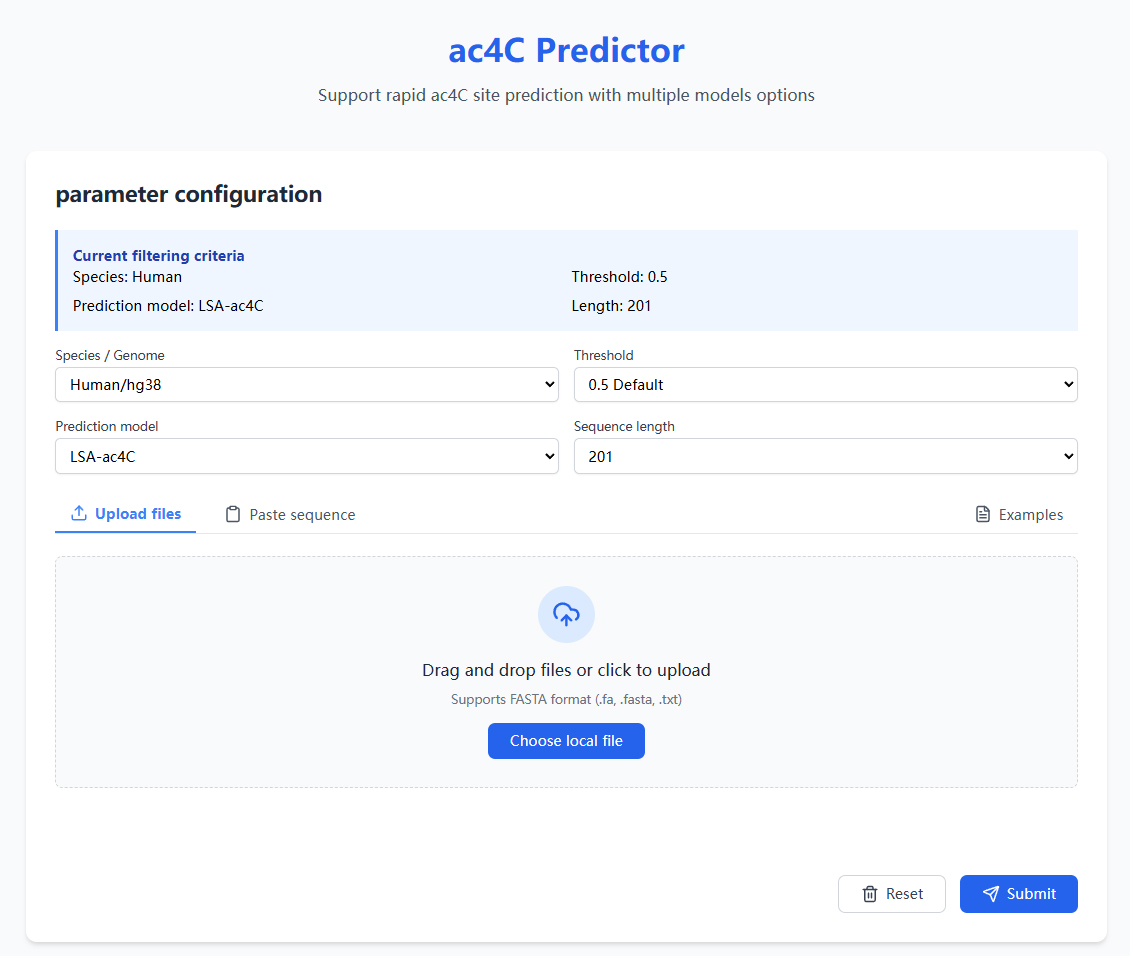
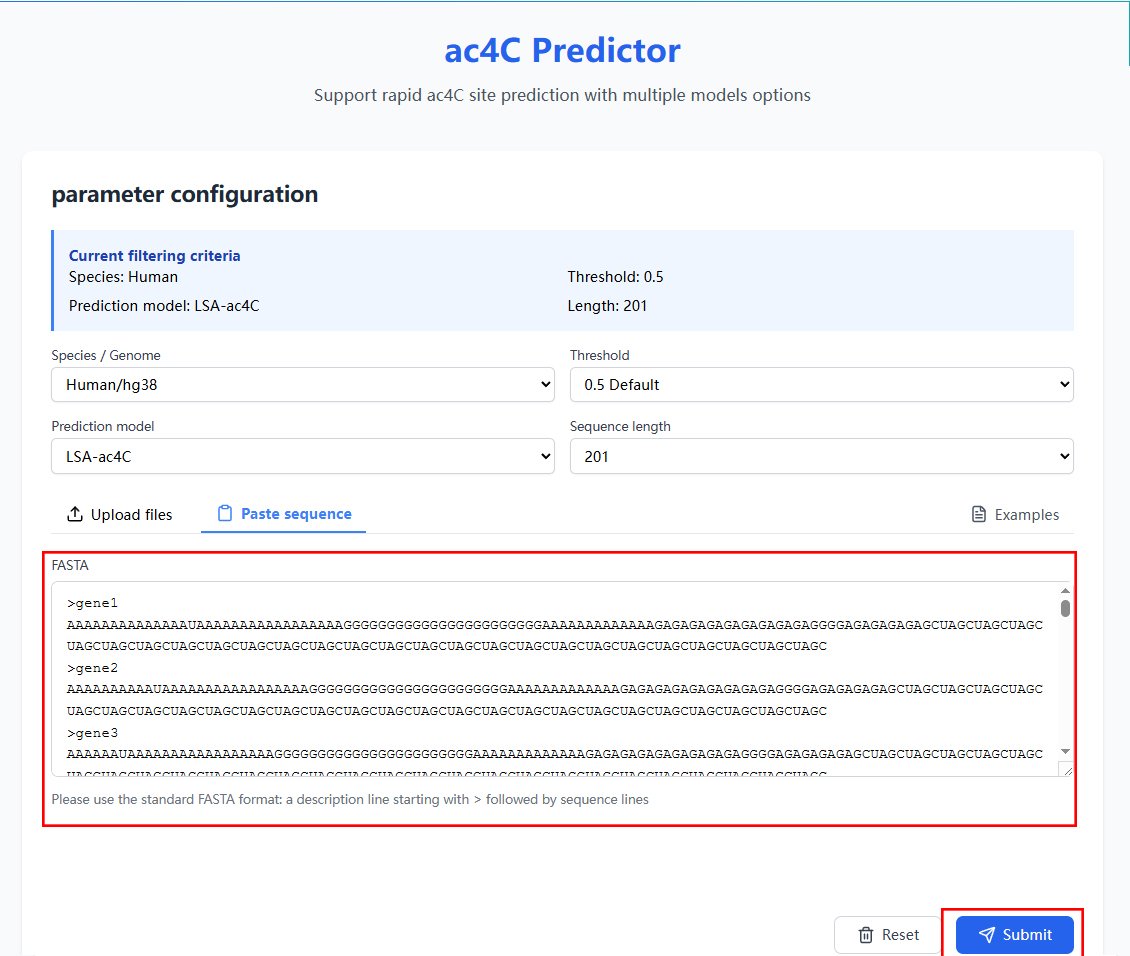
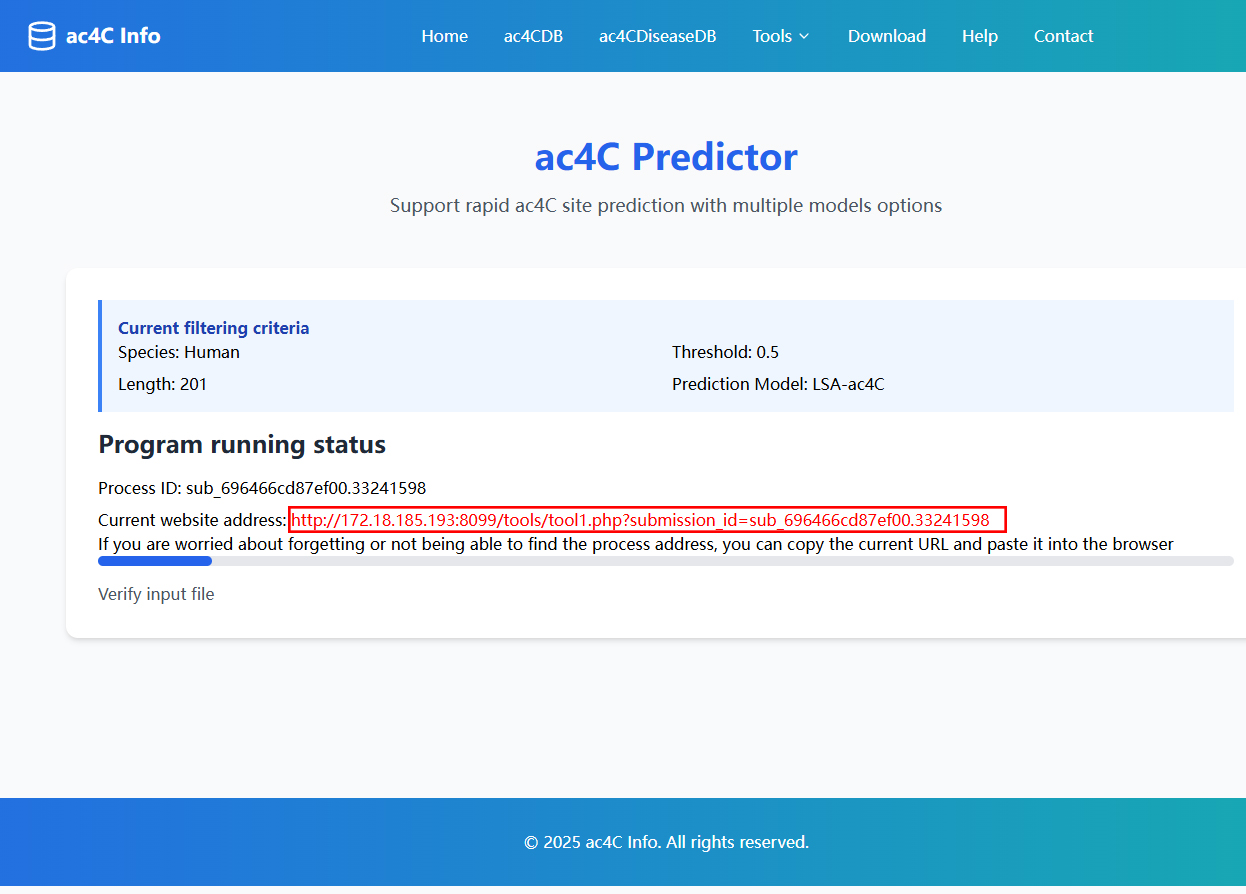
3.While the program is running, users can copy the link provided on the page. Even if the web page is closed, we can continue to access and check the running status of the project by pasting the link into the browser. After a short while, the result page will appear.
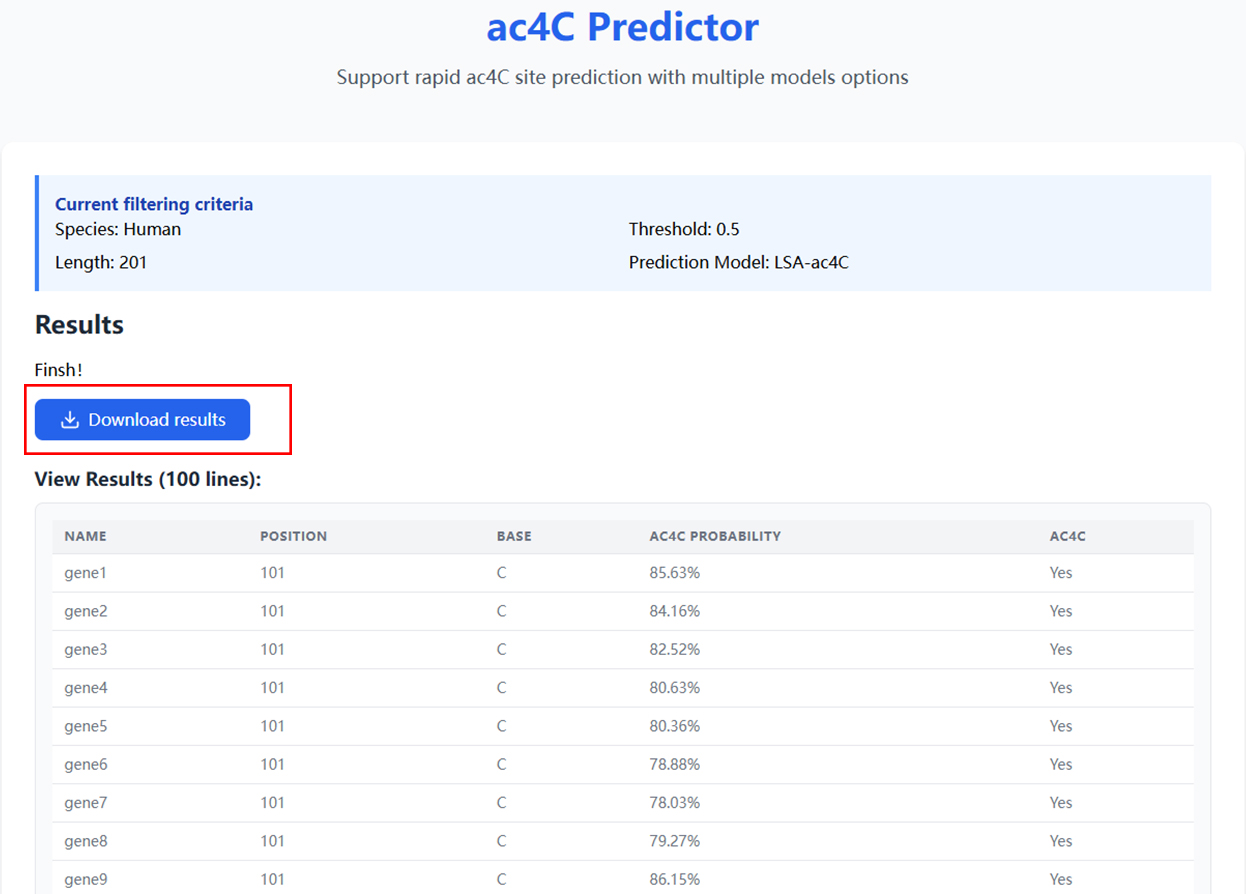
4.On the result page, users can click the download button to download the analysis results to their local device.
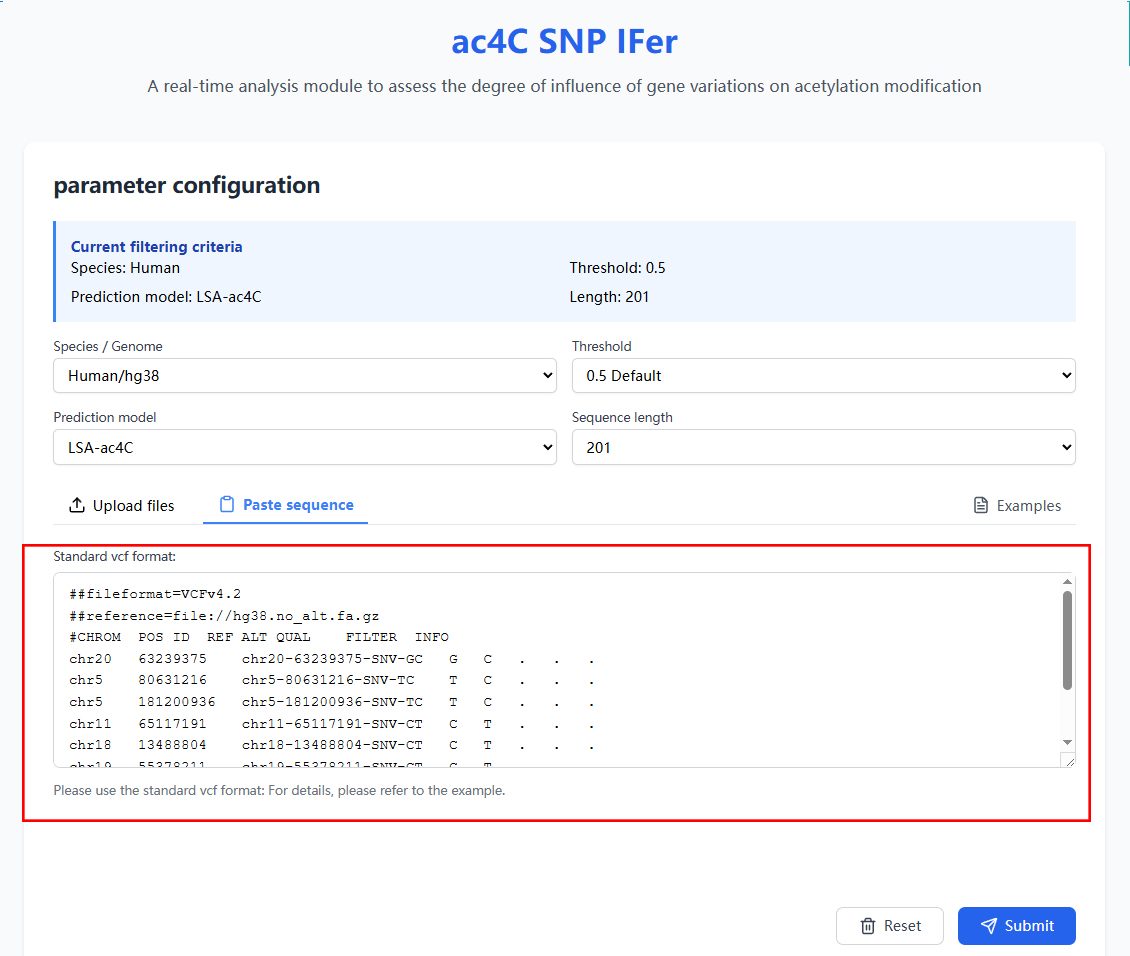
5.The usage method of ac4C SNP IFer is basically similar to that of the ac4C Predictor tool. Please explore it by yourself.(The input is in the standard VCF file format.)
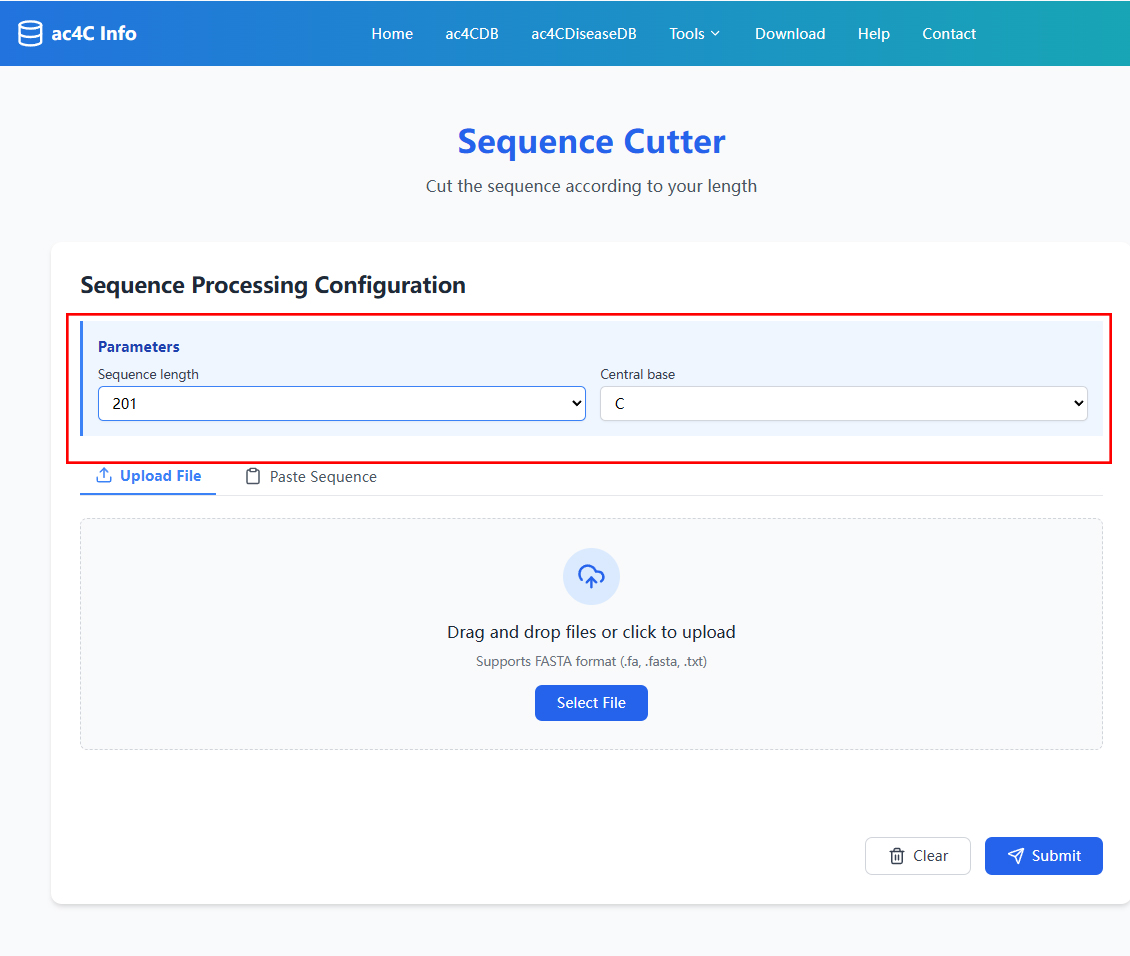
6.The auxiliary tool Sequence Cutter is used to generate the input for ac4C Predictor. After entering the tool, set the length of sequence cutting and the center base(The selection of parameters should be based on the input requirements of the ac4C Predictor's prediction model.).
Downloads
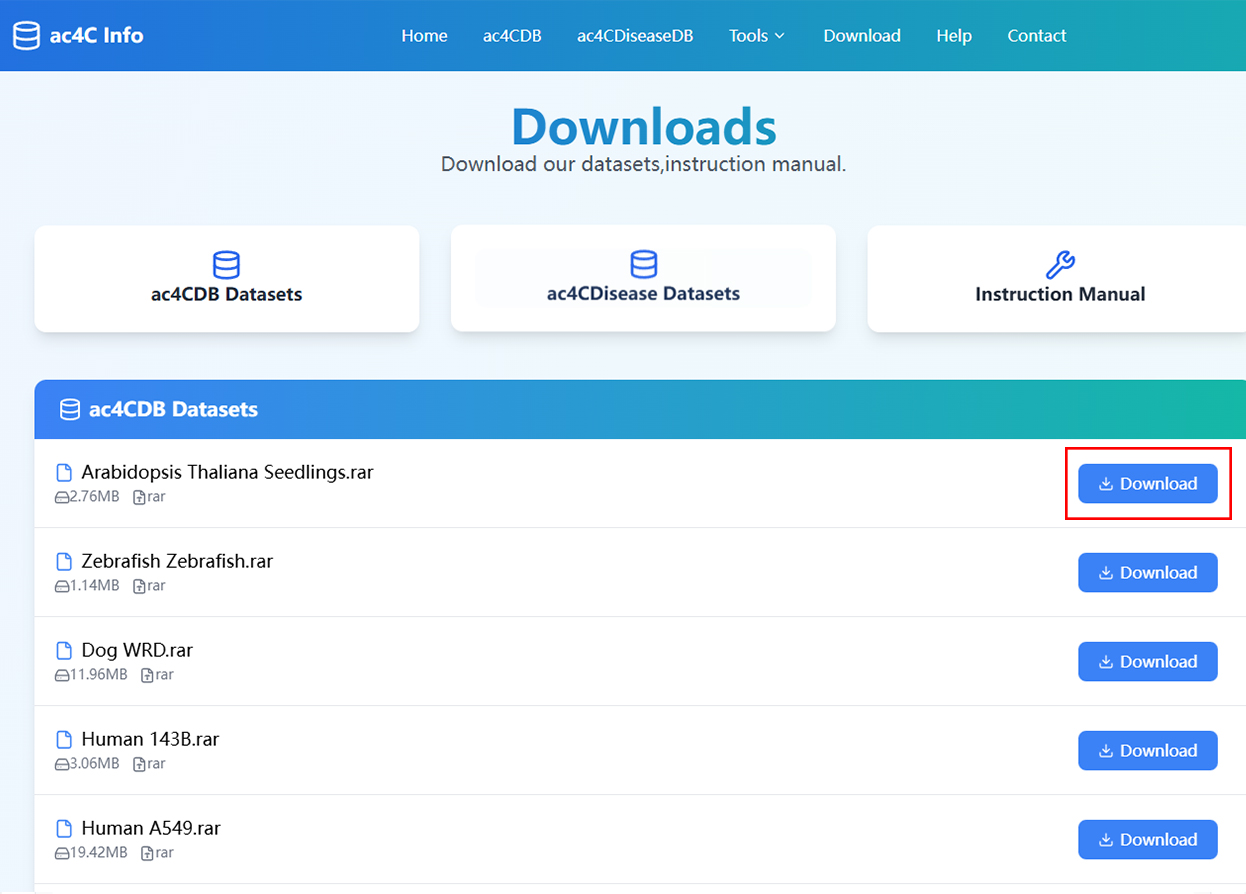
1.The Download page offers one-click download for all datasets.